
Tips for Creating a Cozy and Functional Home Workspace
menidoi.pro >> Workspace>> Tips for Creating a Cozy and Functional Home Workspace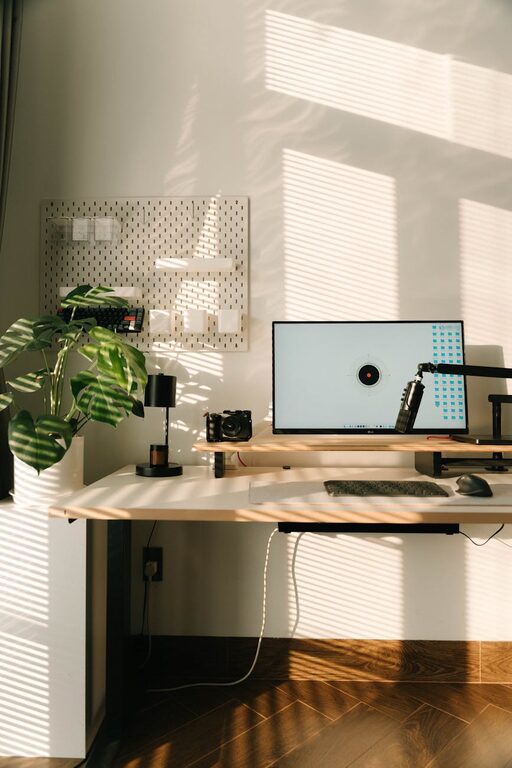
Tips for Creating a Cozy and Functional Home Workspace
Creating a home workspace that is both cozy and functional can make a significant difference in your productivity and overall well-being. Whether you work remotely full-time, freelance, or simply need a dedicated spot for occasional tasks, a thoughtfully designed area can help you stay focused and comfortable. Here are some helpful tips to design a workspace that feels welcoming and supports your work needs.
Choose the Right Location
Selecting the ideal spot for your workspace is a crucial first step. Ideally, it should be a quiet area with minimal distractions.
– Natural Light: Position your desk near a window to take advantage of natural light. This can improve mood and reduce eye strain.
– Away from Noise: If possible, avoid high-traffic areas like the kitchen or living room where noise and interruptions are common.
– Space Availability: Even a small nook or corner can work well if organized efficiently.
Invest in a Comfortable Chair and Desk
Ergonomic furniture is essential to maintain comfort during long working hours.
– Adjustable Chair: Look for chairs that support your lower back and offer adjustable height and tilt features.
– Desk Size: Select a desk large enough to hold your computer, keyboard, and other essentials but not so big it feels overwhelming.
– Standing Option: Consider a sit-stand desk or adding a standing desk converter to alternate your posture throughout the day.
Organize with Purpose
Clutter can reduce focus and increase stress. Keeping your workspace tidy is key to functionality.
– Storage Solutions: Use shelves, drawers, or organizers to keep supplies neatly arranged.
– Cable Management: Employ cable clips or sleeves to reduce mess from cords.
– Daily Tidy-Up: Spend a few minutes at the end of each day to put things in order.
Personalize Your Space
Adding personal touches can make your workspace inviting and motivate you.
– Inspirational Items: Include pictures, quotes, or art that inspire you.
– Plants: Small indoor plants improve air quality and add a calming natural element.
– Soft Textures: Incorporate a cozy rug, cushions, or a soft throw to add warmth.
Optimize Lighting
Proper lighting reduces eye strain and enhances focus.
– Layered Lighting: Combine natural light with task lighting like desk lamps for flexibility.
– Adjustable Lamps: Use lamps with adjustable brightness and direction.
– Avoid Glare: Position screens and lamps to prevent glare on your computer screen.
Maintain Good Air Quality
A fresh environment helps keep your mind sharp.
– Ventilation: Open windows when possible or use an air purifier.
– Plants: As mentioned, certain houseplants can improve air quality naturally.
– Humidity Control: Use a humidifier or dehumidifier depending on your climate.
Create a Routine-Friendly Setup
Your workspace should support your daily habits and work style.
– Accessibility: Keep frequently used items within reach.
– Technology Setup: Ensure a reliable internet connection and organize your computer peripherals efficiently.
– Break Area: If space allows, include a comfortable spot to step away and recharge during breaks.
Keep It Versatile
If your space serves multiple purposes, flexibility is key.
– Multi-Use Furniture: Consider foldable desks or convertible furniture.
– Clear Boundaries: Define the workspace clearly to help mentally separate work from home life.
– Portable Storage: Use carts or boxes that can be moved to change the setup easily.
Final Thoughts
Designing a cozy and functional home workspace doesn’t have to be complicated or expensive. By focusing on comfort, organization, lighting, and personalization, you can create an environment that supports productivity and well-being. Take your time with this process—adjust and refine your setup to find what works best for your unique needs. With the right space, working from home can become a much more enjoyable experience.